

Banking
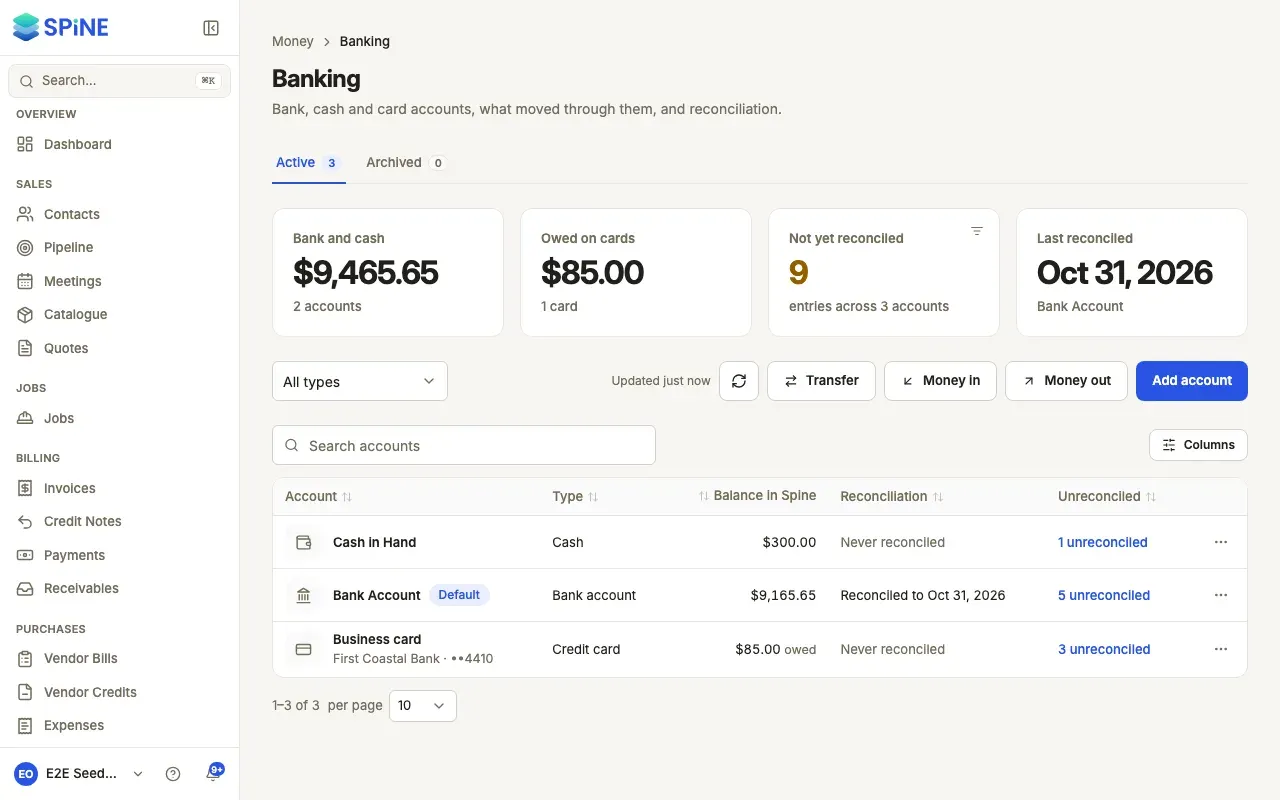
Banking is where your business’s money actually sits: your bank accounts, the cash box and your business cards. Each one has a balance in Spine and a register of everything that went in and out. You can move money between them, record money that no invoice or bill covers, and reconcile each account against its bank statement so your books match the bank.
The main ideas
Section titled “The main ideas”- Money accounts. Every bank account, cash box and credit card is a money account. Spine creates its ledger account for you. Your Spine starts with Bank Account (the default) and Cash in Hand.
- Every payment says which account it used. Customer payments, vendor payments, expenses, refunds and tax payments each have Paid into or Paid from, so each account’s balance is right.
- A credit card is money you owe. Its balance shows what’s owed on the card. Spending on it and paying it off appear as Spent and Paid off.
- Reconciling proves the books. You import the bank’s statement, match each line to what’s in Spine and finish when the difference is zero. Reconciled entries get a tick, and the documents behind them can’t be voided or deleted unless you undo the reconciliation.
- Nothing is edited after the fact. Deleting a transfer or entry posts a reversing entry, so your history stays complete.
Spine doesn’t connect to your bank directly. You import statements as CSV files.
- Add a bank, cash or card account — set up each account and choose the default.
- Archive or restore an account — take a closed account out of the pickers.
- Choose the account on a payment — Paid into and Paid from on every form.
- Work through an account’s register — balances, entries, filters and exports.
- Move money between accounts — transfers, cash deposits and card payoffs.
- Record money in or out — owner money, loans, interest and bank charges.
- Import a bank statement — bring your bank’s CSV into Spine.
- Reconcile an account — match statement lines and finish when it balances.
- Create missing entries from a statement line — record what Spine doesn’t have yet.
- Review or undo a reconciliation — the history, the report and undoing the latest.
For the payments that move money in, see Payments and receivables.
Last updated with Spine 1.0.0-beta.2