

Control who can work on purchases
Purchases move money out of the business, so each step is its own right. You can let a junior enter bills but not record them, or let someone approve expenses without being able to edit them. Rights for bills, credits, payments, expenses and categories are set separately, and the app and the server check the same list.
-
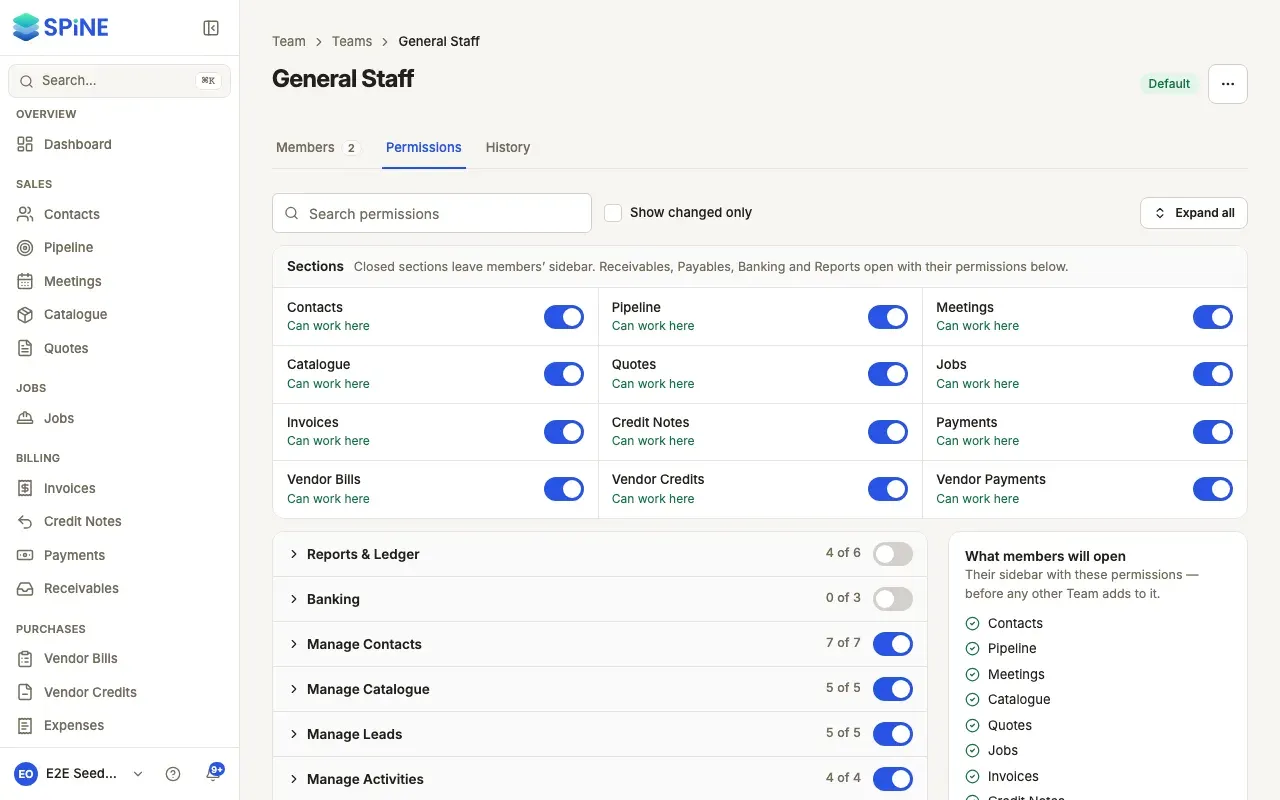
Open the Team — Go to Settings › Teams and open the Team.
-
Open its permissions — Choose the Permissions tab. The rights are grouped, each group collapsed with a switch to grant all of it.
-
Expand a group — For purchases: Manage Vendor Bills, Vendor credits, Manage Vendor Payments, Manage Expenses and Manage Expense Categories. View payables is under Reports & Ledger.
-
Switch the rights — Each right shows its label, a one-line description and its own switch.
-
Save — Press Save changes and confirm. The Team’s members get the new rights at their next request.
Own and others’ records
Section titled “Own and others’ records”For bills, credits, payments, expenses and categories, editing and deleting come in pairs: one for records the person created (or submitted) and one for everyone else’s. With Create/edit own vendor bills only, someone can enter and change their own drafts but can’t change a colleague’s. Each of these also needs the Team’s right to open the section — Open Vendor Bills, Open Vendor Credits or Open Vendor Payments. For expenses, See everyone’s expenses lets someone see other people’s; without it, they see only their own.
Steps that are their own right
Section titled “Steps that are their own right”These never come with editing, so you choose who has that authority:
- Record a vendor bill and Void a vendor bill
- Manage recurring bills
- Record vendor credits, Apply and refund vendor credits and Void vendor credits
- Create own vendor payments (recording a payment), Delete own vendor payments and Delete others’ vendor payments
- Approve expense and Reject expense — an approver doesn’t need Edit others’ expenses
- Bill expense to customer
- View payables
A button someone hasn’t the right for doesn’t show, and the server refuses the action too.
Last updated with Spine 1.0.0-beta.2