

Apply an accepted variation order
Once the customer has accepted a variation quote, apply it to the job. Its total is added to the job’s contract value, percentage milestones are worked out again on the new value, and costing and billing progress measure against it.
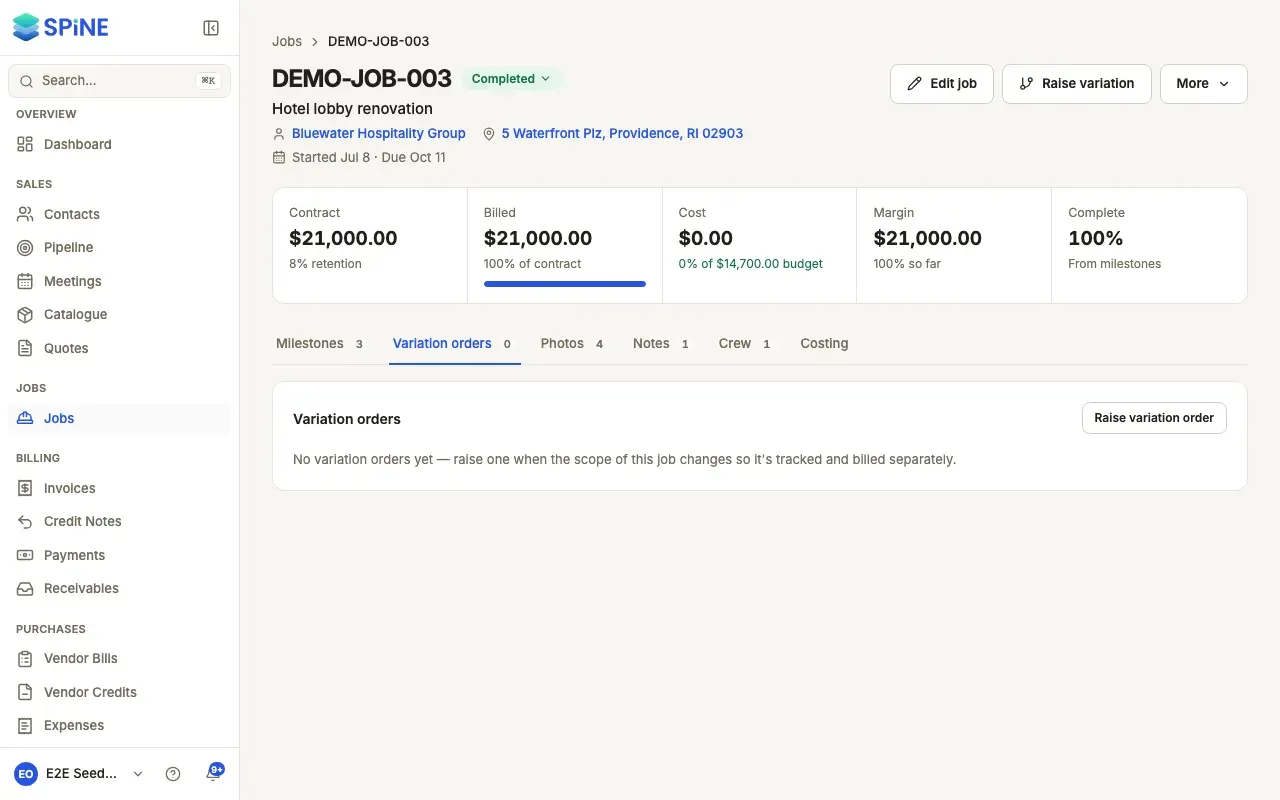
- Open the job — Go to Jobs, open the job and choose the Variation orders tab.
- Find the accepted variation — A variation whose quote shows Accepted and isn’t applied yet has an Apply to job button.
- Apply it — Press Apply to job. Spine asks “Apply this variation to the job?” and says how much is added to the contract value from which quote.
- Confirm — Press Apply to job again. A toast says “Variation applied”.
What changes
Section titled “What changes”- The job’s contract value goes up by the variation’s total. The job’s figures strip shows Contract with how many variations are included and their total.
- The variation shows Applied with the date it was applied.
- Percentage milestones are worked out again on the new contract value. Fixed-amount milestones keep their amounts.
- The cost budget doesn’t change. If the extra work costs more, update Cost budget in Edit job.
When you can’t apply it
Section titled “When you can’t apply it”Apply to job isn’t offered until the variation’s quote is accepted. A draft, sent or rejected variation can’t be applied. If applying fails, you see “Could not apply this variation order.”
Last updated with Spine 1.0.0-beta.2