

Choose what happens when a quote is converted again
Convert to job and Convert to invoice can be used more than once on the same quote. “Each conversion creates a full, separate job or invoice for the quote’s whole amount, not a split.” This setting decides how Spine behaves when someone tries it, so amounts aren’t doubled by accident.
-
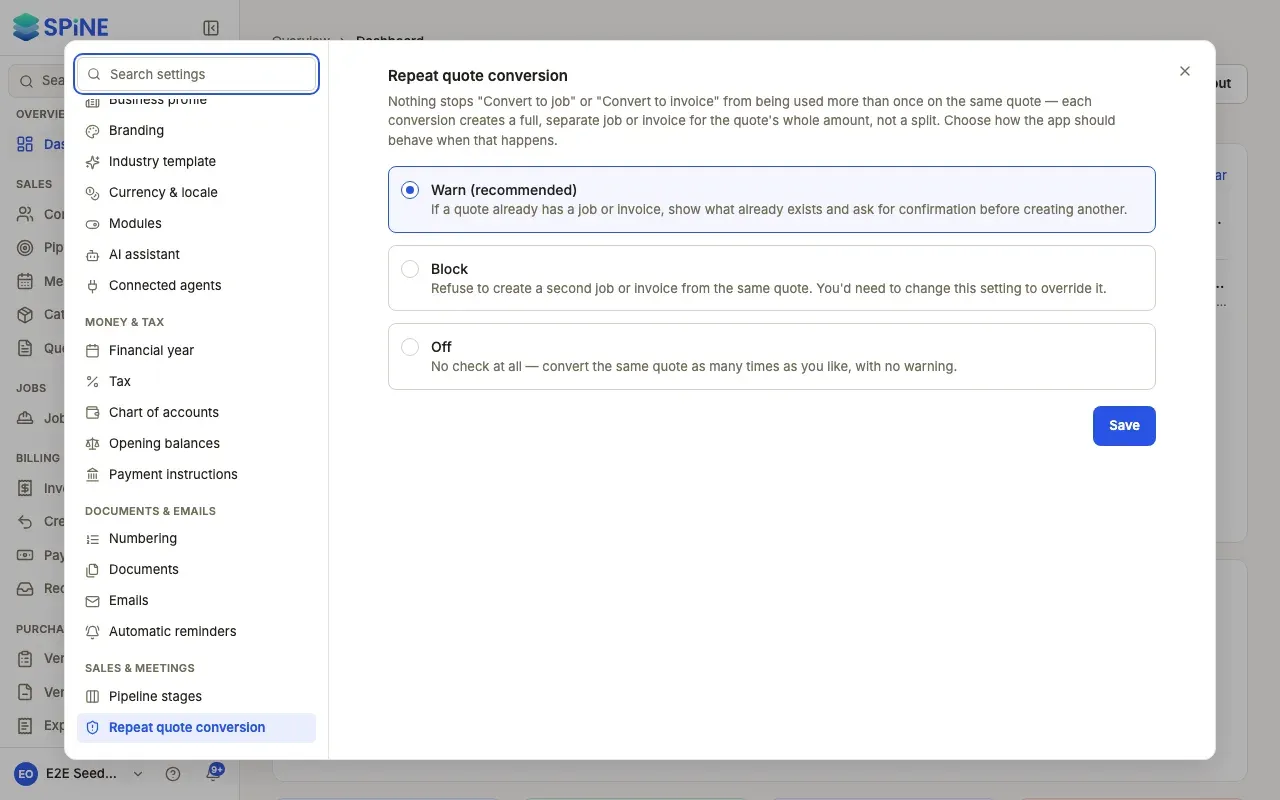
Open Settings › Repeat quote conversion — Open your user menu, choose Settings, and pick Repeat quote conversion under Sales & meetings.
-
Choose a behaviour —
- Warn (recommended) — “If a quote already has a job or invoice, show what already exists and ask for confirmation before creating another.”
- Block — “Refuse to create a second job or invoice from the same quote. You’d need to change this setting to override it.”
- Off — “No check at all — convert the same quote as many times as you like, with no warning.”
-
Press Save — A “Saved” message appears.
What people see
Section titled “What people see”With Warn, converting a quote a second time opens “This quote has already been converted before”, listing the jobs or invoices that already exist, with Cancel and Convert to job anyway (or Convert to invoice anyway). Confirming creates a second, full job or invoice.
Last updated with Spine 1.0.0-beta.2