

Purchases and expenses
Purchases is the money going out of the business. Vendor bills are what you owe suppliers and subcontractors. Vendor payments are what you paid them. Vendor credits are what they owe you back. Expenses are what your team spends — fuel, materials, site meals, a day’s labour — sent in with a receipt and approved before they count. Payables shows what you still owe and how late it is.
The main ideas
Section titled “The main ideas”- A bill starts as a draft. A draft posts nothing to your books, so you can check it. When you record it, it’s posted as owed to the vendor and can’t be edited any more — only voided.
- The bill number is the vendor’s. Spine doesn’t number vendor bills. It warns you if the same vendor already has a bill with that number, so you don’t pay it twice.
- A payment pays bills. You tick the bills a payment covers. Each bill’s balance drops, and a bill paid in full reads Paid.
- A vendor credit lowers what you owe. Record a vendor’s credit note, then apply it to their open bills or record the refund they paid back.
- An expense waits for approval. A submitted expense posts nothing until an Owner or an approver approves it. Staff can’t approve their own expenses. If the Approvals module is switched off in Settings › Modules, expenses post when they’re submitted.
- Jobs pick up their costs. A bill line or an expense tagged to a job counts as that job’s cost once it’s recorded or approved. See Jobs.
- You never write journal entries. Recording, approving, paying, voiding and deleting each post the right entry for you.
Vendor bills
Section titled “Vendor bills”- Enter a vendor bill — the bill page, due dates, attachments and duplicates.
- Fill in a bill or expense with AI — read the vendor’s PDF or a receipt into the form.
- Record a vendor bill — post one bill, or several drafts at once.
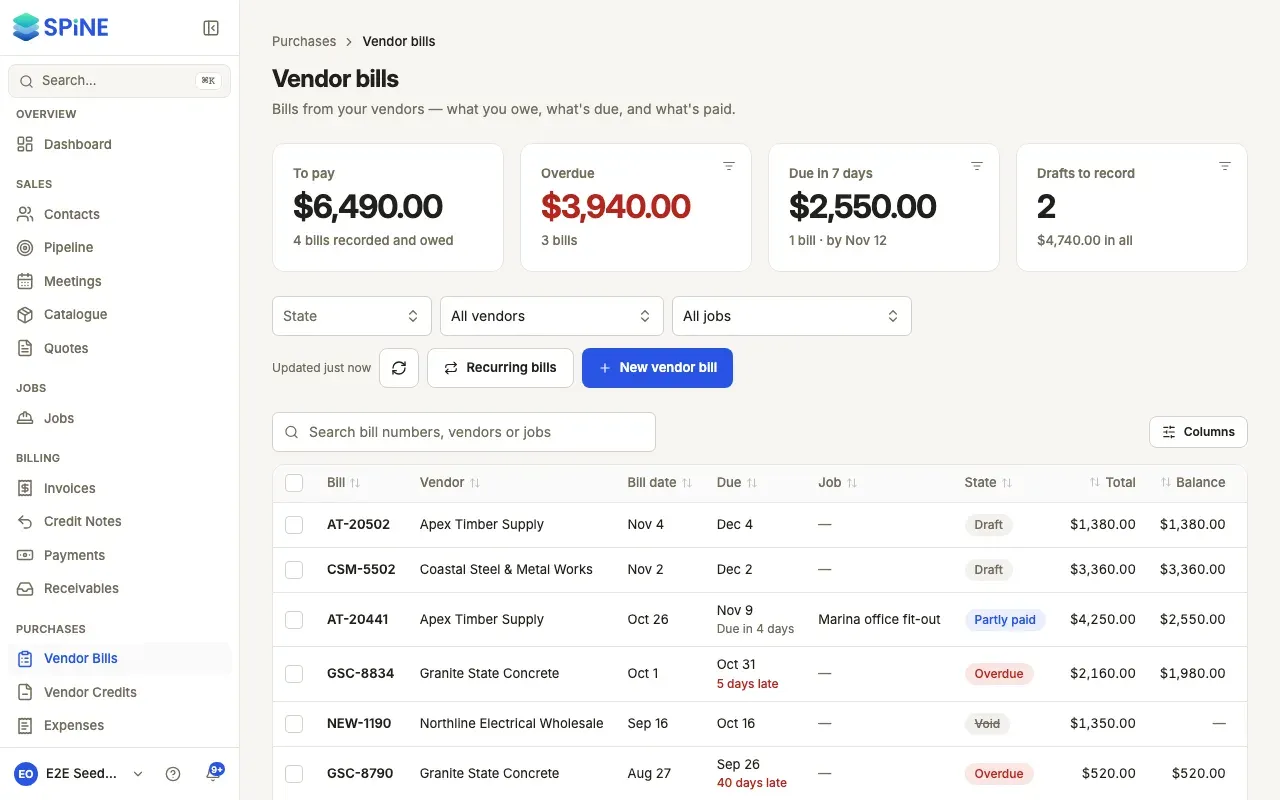
- Find vendor bills and see what’s due — the list, its cards, filters and the job filter.
- Void a vendor bill — take a recorded bill off your books with a reason.
- Set up a recurring bill — rent and subscriptions entered for you.
Vendor payments
Section titled “Vendor payments”- Pay a vendor — tick the bills a payment covers.
- Find or delete a vendor payment — the list, each payment’s page, search and deleting.
- Send a remittance advice — tell a vendor what you paid against which bills.
Vendor credits
Section titled “Vendor credits”- Record a vendor credit — enter a credit note, from scratch or from its bill.
- Apply a vendor credit to bills — use the credit so you pay less.
- Record a refund from a vendor — when the vendor pays you back.
- Track or void a vendor credit — what’s left to use, and voiding a mistake.
Payables
Section titled “Payables”- See what you owe vendors — by vendor and by bill, by age, and the export.
- Pay bills from Payables — pay or apply credit without opening each bill.
Expenses
Section titled “Expenses”- Submit an expense — with a receipt, tax worked out for you.
- Submit an expense from the field app — a receipt photo on site, even with no signal.
- Enter a day of site labour — workers per trade times their day rate.
- Approve or reject an expense — review it next to its receipt.
- Approve several expenses at once — the weekly batch.
- Fix and resubmit a rejected expense — send it back without starting again.
- Bill an expense to a customer — pass a cost on to the job’s customer.
- Find expenses — what’s waiting, what’s ready to bill, and filters.
- Manage expense categories — where each kind of spending posts.
Rights
Section titled “Rights”- Control who can work on purchases — the Team rights for bills, payments, credits and expenses.
Last updated with Spine 1.0.0-beta.2