

Record a vendor credit
When a vendor sends a credit note — for goods you sent back, an overcharge or a discount after the bill — record it as a vendor credit. It lowers what you owe them without voiding the bill. Like a bill, it starts as a draft and posts nothing until you record it.
-
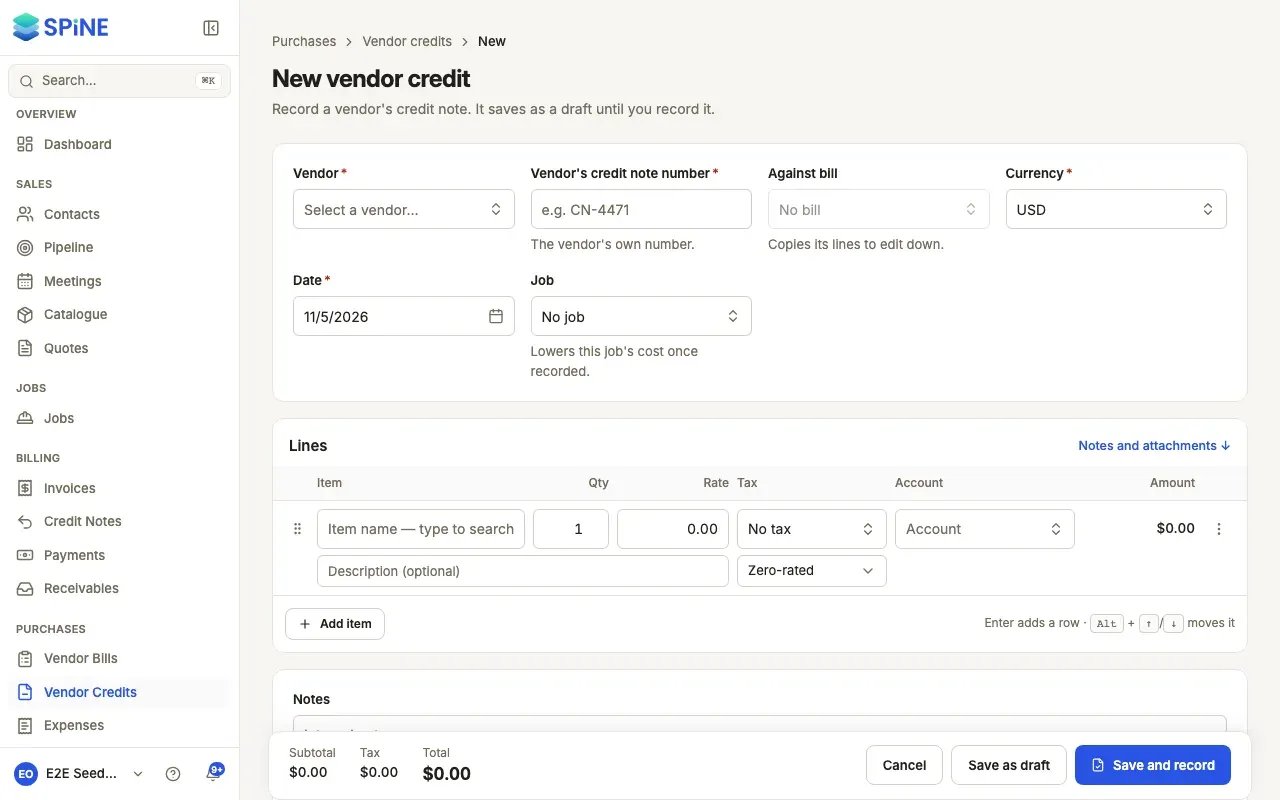
Start the credit — Go to Vendor Credits and press New vendor credit. Or, on the recorded bill it’s for, open More and choose Record vendor credit: the vendor, the bill, its currency, job and lines are filled in for you to edit down.
-
Fill in the header — Choose the Vendor and enter the Vendor’s credit note number (their own number, for example CN-4471). Set the Date. Choose a Job if it’s for one — it lowers that job’s cost once recorded.
-
Link the bill (optional) — Under Against bill, choose the bill it’s for. Its lines are copied for you to edit down. If you’ve already entered lines, Spine asks “Replace your lines with RTE-3302’s?” first; Keep my lines leaves them as they are.
-
Enter the lines — Each line has an Item, Qty, Rate, Tax and Account, like a bill.
-
Save — Press Save as draft, or Save and record to post it now.
Record the credit
Section titled “Record the credit”Open the draft and press Record credit. Spine asks “Record this vendor credit?” and says how much is posted, lowering what you owe. Confirm with Record credit.
The credit gets its VCR- number and reads Open, with its amount left to use. Then apply it to bills or record the refund when the vendor pays you back.
Record several drafts at once
Section titled “Record several drafts at once”On the Vendor Credits list, tick the drafts and press Record (n). Spine asks first with their total, then records them. The toast says how many, and names any that couldn’t be recorded with why.
Help while you type
Section titled “Help while you type”If this vendor already has a credit (not void) with the same credit note number, a warning names it with its date, amount and a link. You can still save.
To delete a draft, open More and choose Delete draft. Spine asks “Delete this draft credit?” first.
Last updated with Spine 1.0.0-beta.2