

Take a deposit or overpayment as credit
Sometimes money arrives before you’ve invoiced for it, or a customer pays more than they owe. Spine keeps whatever doesn’t go on an invoice as credit for that customer. The credit sits on the payment until you apply it to an invoice or refund it, so nothing is lost and nothing is counted twice.
Hold all or part of a payment as credit
Section titled “Hold all or part of a payment as credit”-
Start a payment — Go to Payments and press Record payment, then choose the Customer.
-
Enter the amount received — Type the full Amount, then tick only the invoices it pays, or none at all. If the customer has no open invoices, the dialog says the whole payment becomes their credit.
-
Read the total line — It says, for example, “$1,000.00 goes on 1 invoice; $250.00 becomes credit for Maple Ridge Homes.” If nothing is ticked, it says the whole amount becomes credit, to apply to an invoice later or refund.
-
Record it — Press Record payment. The toast says how much is credit for the customer.
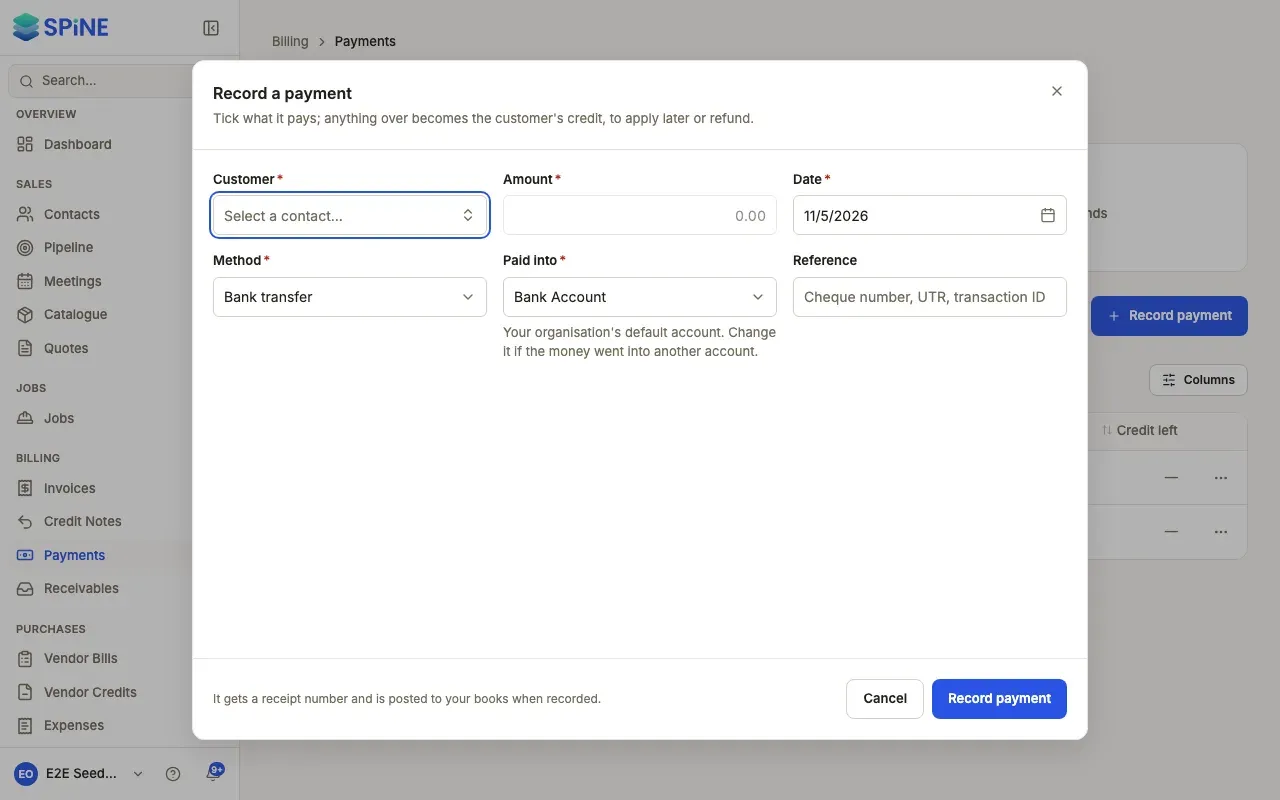
The payment’s page then reads Credit left next to its receipt number, and its strip shows how much is left To apply or refund. On the Payments list, press the Credit to use card to see only payments with credit left.
Pay a deposit invoice
Section titled “Pay a deposit invoice”If you sent a deposit (advance) invoice to request money up front, record the payment against it like any other invoice. It’s offered in the list under What it pays, marked Deposit.
- Paid in full, the deposit invoice reads Paid. Part-paid, it reads Partially paid with what’s still outstanding.
- The money is still held as the customer’s credit, because the work isn’t invoiced yet. When you send the final invoice, apply the deposit to it. See Apply customer credit to an invoice.
- The deposit carries no tax. The final invoice’s lines carry the full tax.
What happens in your books
Section titled “What happens in your books”The part of a payment that goes on invoices reduces what customers owe you. The part held as credit goes to Customer Advances until it’s applied or refunded.
Last updated with Spine 1.0.0-beta.2