

Invoices and credit notes
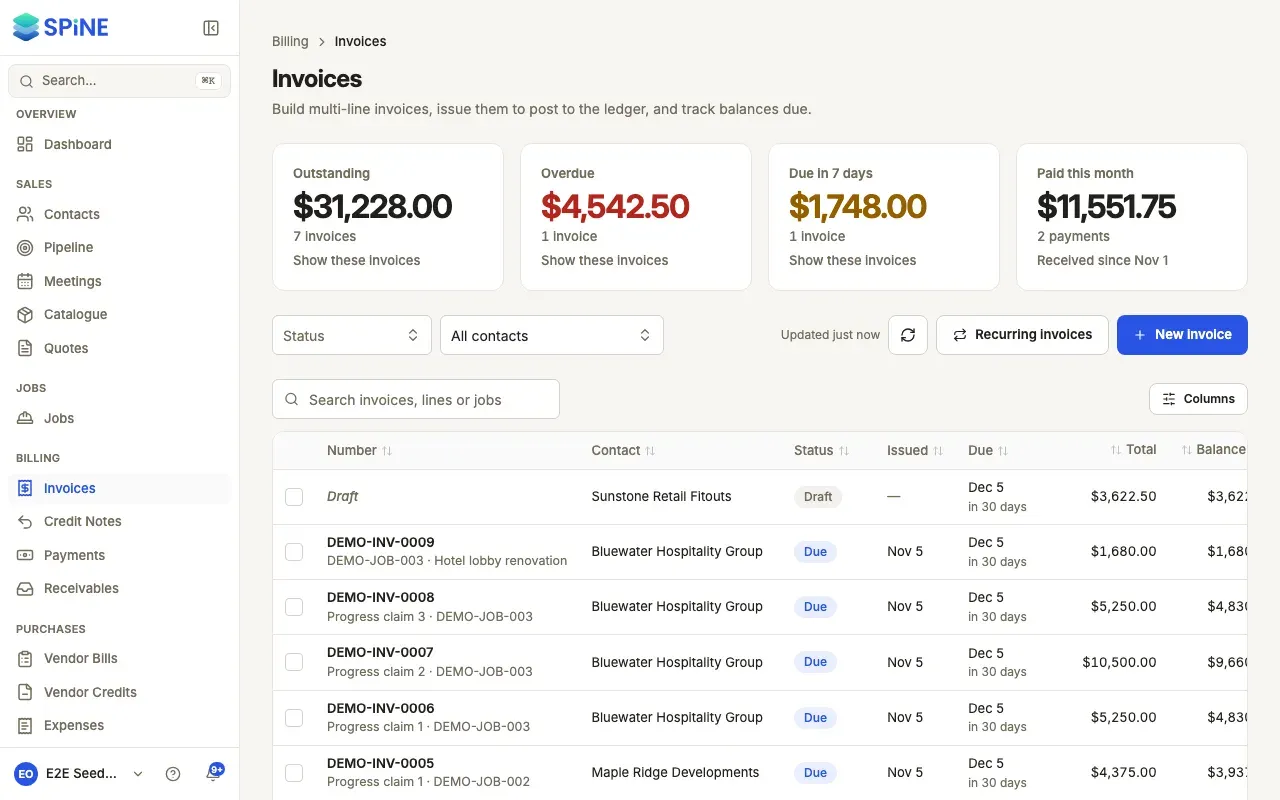
Invoices is where you bill customers for work. You build an invoice as a draft, issue it when it’s ready, email it as a PDF and chase it until it’s paid. When an issued invoice is wrong, you void it or issue a credit note against it. You never edit it. Invoices and Credit Notes sit under Billing in the sidebar.
The main ideas
Section titled “The main ideas”- A draft can change; an issued invoice can’t. A draft has no number and isn’t in your books. You can edit or delete it as often as you like.
- Issuing locks the invoice. It gets the next number in sequence, it’s posted to your books, and its PDF is saved exactly as the customer gets it. After that it can only be voided or credited.
- Four kinds of invoice. A Standard invoice bills work. An Advance invoice asks for a deposit before work starts. A Progress invoice bills a job’s milestone, and can hold back retention. A Retention release invoice collects that retention at the end.
- Mistakes are corrected, not erased. Void an invoice with a reason when it shouldn’t exist. Issue a credit note when part or all of it should come off. Both keep the original and leave a record.
- Credit belongs to the customer. A credit note for more than is still owed becomes credit the customer can use on another invoice or be paid back.
Invoices
Section titled “Invoices”- Create an invoice — the builder, lines, tax and the due date.
- Issue an invoice — give it its number and post it to your books.
- Edit or delete a draft invoice — change a draft, or remove one you don’t need.
- Duplicate an invoice — start a new draft from an old one.
- Find invoices and see what’s overdue — the cards, filters, search and each invoice’s page.
- Email an invoice — send the PDF to your customer.
- Send a payment reminder — one invoice, or several at once.
- Turn on automatic payment reminders — let Spine chase on a schedule.
- Show payment instructions on invoices — bank details, and a UPI QR code in India.
- Void an invoice — cancel an issued invoice with a reason.
- Raise a deposit invoice — ask for money before work starts.
- Apply a customer’s credit to an invoice — use a deposit, overpayment or credit note’s credit.
- Invoice a milestone and release retention — progress and retention-release invoices.
- Set up a recurring invoice — bill a contract on a schedule.
- Pause, change or stop a recurring invoice — keep a schedule in step with the contract.
- Download invoice PDFs — one, a preview, or several in a ZIP.
- Send a customer a statement — everything they owe in one PDF.
Credit notes
Section titled “Credit notes”- Issue a credit note — credit lines or an amount, with their tax.
- Use a credit note’s credit — apply it to invoices, refund it or email it.
- Find credit notes and see where the credit went — the cards, filters and each credit note’s story.
Who can do what
Section titled “Who can do what”An Owner sets each Team’s rights in Settings › Team › Teams (see Settings). The invoice rights are Create/edit own invoices, Edit others’ invoices, Delete own invoices, Delete others’ invoices, Issue an invoice, Void an invoice, Email an invoice, Send a payment reminder and Manage recurring invoices. Credit notes have their own set, including Issue a credit note, which work separately from the invoice rights. So a Team can issue invoices without being able to void them, and someone can issue a colleague’s draft without being able to edit it.
Recording payments, following up receivables and refunding payments have their own guide: see Payments and receivables.
Last updated with Spine 1.0.0-beta.2